
Changelog

Follow new updates and improvements to Wauld.

Customize credential notification emails to match your brand
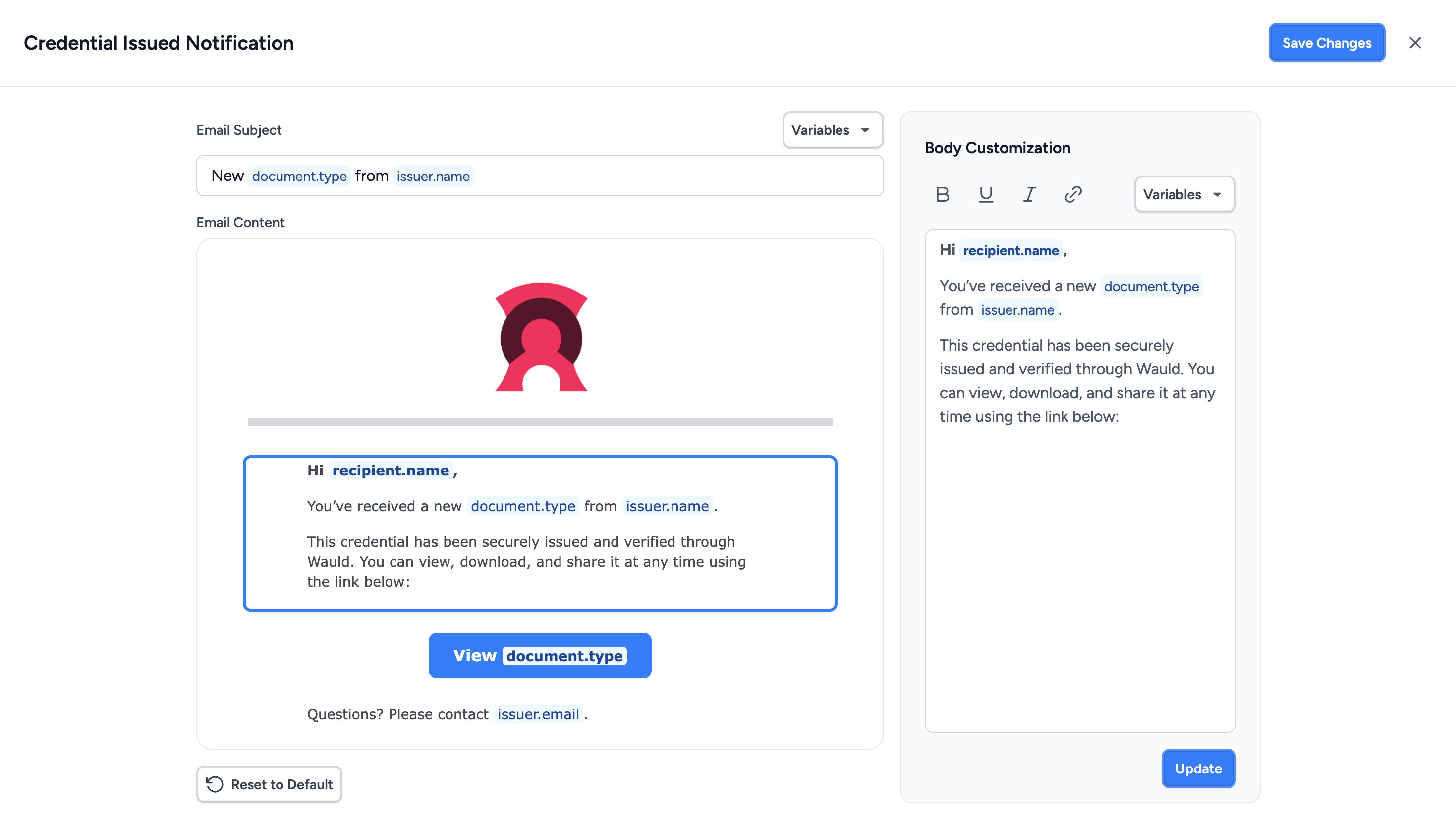
Verified organizations can now customize the notification emails Wauld sends to recipients on their behalf, giving you more control over the communication that surrounds every credential you issue.

You can tailor the subject and message content, adjust visual elements such as the header and credential button, and include your organization's social media links. This makes it easier to keep credential emails consistent with your brand and the tone you already use when communicating with learners, members, employees, or other recipients.

Email content can also include dynamic information such as the recipient name, document name, credential ID, issuance or expiry date, and issuing authority. Wauld automatically replaces these details for each recipient when the notification is sent, so you can create a personalized experience without maintaining separate email templates.

What this means for you:

  • Extend your organization's branding beyond the credential itself and into recipient communications

  • Create more relevant and personalized messages for each credential recipient

  • Keep credential notifications consistent with your organization's tone, identity, and communication style

  • Give recipients a more cohesive experience from the moment their credential reaches their inbox
Send notification emails from your own domain

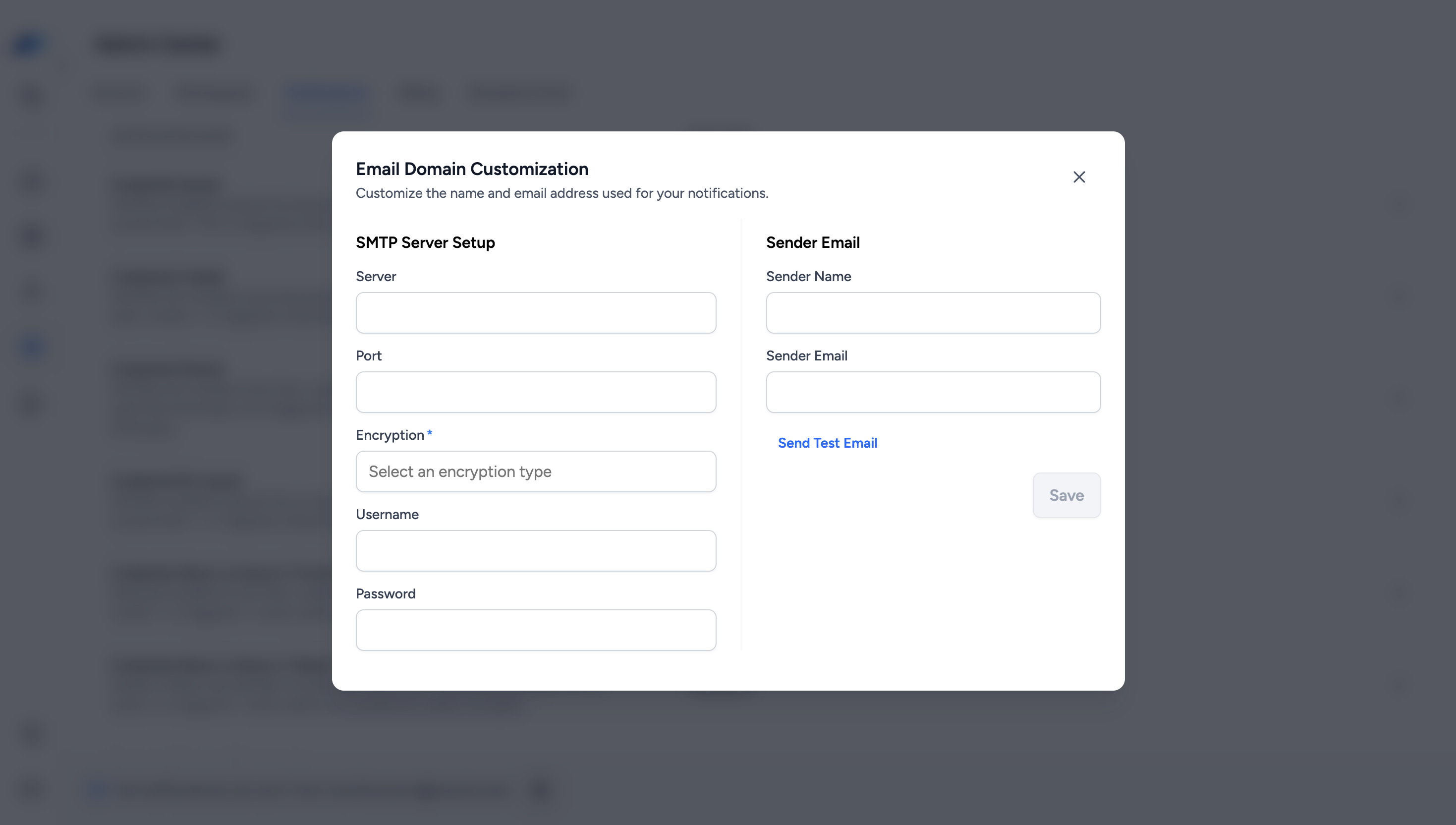
Verified organizations can now configure Wauld notification emails to be sent using a custom Sender Name and Sender Email of their choice.

Co-owners can configure this from Admin Center → Notifications → Settings → Connect My Domain by connecting their SMTP server and entering the sender details they want to use. A test email can then be sent to confirm the configuration is working correctly. Once the test is successful, the custom sender configuration is activated for future notifications.

If the SMTP connection becomes unavailable, Wauld automatically falls back to notifications@wauld.com so notifications can continue to be delivered. You'll be notified that the connection needs attention and can re-authenticate it from the same settings.

What this means for you:

  • Send credential notifications using a custom sender email of your choice

  • Keep your organization's identity consistent in recipient communications

  • Continue sending notifications through Wauld's default email if your custom connection becomes unavailable

Control how recipients access and share credentials

You can now manage how recipients interact with their credentials from the new Recipient Portal tab in Admin Center. These settings apply across all workspaces in your account.

You can choose whether recipients need to log in before sharing a credential or adding it to LinkedIn, and decide which sharing channels are available to them, including Email, LinkedIn, X, Facebook, WhatsApp, Telegram, and Pinterest. Copy Link remains available for every credential.

You can also customize the message recipients use when sharing credentials on supported social platforms. Add details such as the recipient name, document name, issuance date, expiry date, credential ID, or issuing authority, and Wauld automatically fills in the relevant information when the credential is shared.

Changes to these settings also apply to previously issued credentials. Credential change requests will continue to require identity verification regardless of whether recipient login is required.

What this means for you:

  • Set recipient access and sharing preferences once for your entire account

  • Control where recipients can share their credentials

  • Create consistent, customizable social sharing messages using credential-specific information

Earlier updates